
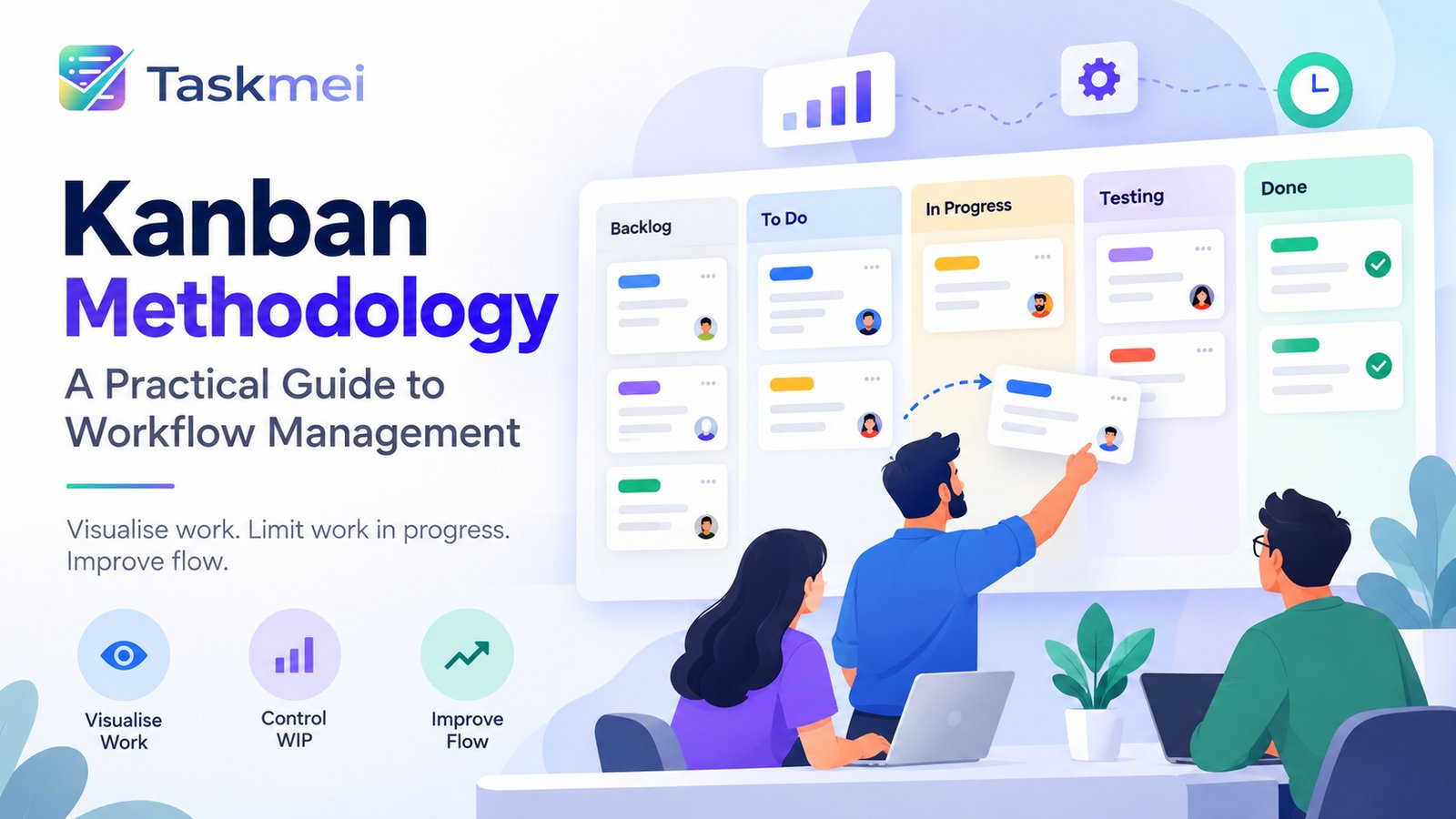
Kanban Methodology: A Practical Guide to Workflow Management
Modern teams often face the same challenge: too much work gets started, too little gets completed, and nobody has a clear picture of where tasks are getting stuck.
This is where the Kanban methodology can help.
Kanban enables teams to visualise work, manage priorities, limit work in progress, and improve the flow of tasks from start to completion. Instead of relying entirely on status meetings, spreadsheets, or scattered messages, teams can use a shared Kanban board to understand what is happening, what needs attention, and what should be completed next.
Whether you manage a software development team, customer support desk, marketing department, or business operations team, Kanban offers a practical way to organise work without introducing unnecessary complexity.
In this guide, you will learn what Kanban is, how Kanban boards work, the principles behind the method, which metrics matter, common mistakes to avoid, and how to choose the right Kanban project management software.
What Is Kanban Methodology?
Kanban is a visual workflow management method that helps teams organise work, manage work in progress, and continuously improve how tasks move through a process.
The word Kanban originates from Japanese and is commonly associated with a visual sign or signal. In modern knowledge work, Kanban uses boards and cards to make work visible and help teams manage the flow of tasks.
The central idea is simple: visualise work, limit work in progress, manage flow, and improve continuously.
A software development team, for example, might organise its work into these stages:
- Backlog
- To Do
- In Progress
- Testing
- Done
Each task moves through the workflow as the team completes the necessary activities.
This visual structure makes it easier to identify ongoing work, understand priorities, spot bottlenecks, and see what has been completed.
Kanban is not limited to software development. Customer support, IT operations, marketing, HR, maintenance, and other teams can adapt the method to their own workflows.
What Is a Kanban Board?
A Kanban board is a visual representation of a team's workflow. It uses columns to represent workflow stages and cards to represent individual tasks.
A physical Kanban board might use sticky notes on a whiteboard. A digital Kanban board enables teams to manage the same workflow online, collaborate remotely, and track task information.
Example of a Kanban board
| Backlog | To Do | In Progress | Done |
|---|---|---|---|
| Update website copy | Fix login issue | Develop dashboard | Approve design |
| Review customer feedback | Test payment flow | Investigate API error | Update documentation |
As work progresses, team members move cards between columns.
A well-designed board helps answer important questions:
- What work is waiting to be started?
- Which tasks are currently being worked on?
- Where are tasks getting delayed?
- What has been completed?
- Which items need immediate attention?
A Kanban board should reflect the team's actual process rather than force every team to follow identical stages.
For example, a support team might use New, Assigned, Investigating, Waiting for Customer, and Resolved. A development team might need separate review and testing stages.
Digital Kanban boards can also support task assignment, priorities, due dates, labels, comments, and activity history.
How Does the Kanban Methodology Work?
Kanban helps teams manage work continuously rather than requiring all work to be planned into fixed iterations.
Here is how a typical Kanban workflow operates.
1. Visualise the work
Create a board that represents your existing process. Add the tasks the team needs to complete and place each task in the appropriate column.
Include useful information such as priority, owner, due date, and task description.
The objective is to give everyone a shared view of the work.
2. Prioritise tasks
Not every task has the same business value or urgency.
Organise the backlog so the team understands which items should be considered first. Establish rules for urgent requests and avoid allowing every new request to interrupt ongoing work.
3. Limit work in progress
Work in progress, commonly called WIP, refers to work items that have been started but not yet completed.
When people switch between too many tasks, they can lose focus and delay completion. WIP limits help teams control how much work can occupy a particular workflow stage.
4. Pull work when capacity is available
When a task is completed and capacity becomes available, the team can pull the next suitable item into the workflow.
This encourages collaboration and reduces the tendency to start new tasks while existing work remains unfinished.
5. Monitor progress and improve
Review the board to identify blocked tasks, overloaded stages, recurring delays, and opportunities to improve.
Over time, use workflow data to understand how work moves through the system and whether delivery is becoming more predictable.
What Are WIP Limits in Kanban?
WIP limits are one of the most important practices in Kanban.
A work-in-progress limit defines the maximum number of work items allowed in a particular workflow stage or other agreed part of the system.
For example, a team might set a WIP limit of three tasks for its In Progress column.
When three tasks are already in progress, the team focuses on advancing or completing those tasks before starting another one in that stage.
WIP limits can help teams:
- Reduce excessive task switching.
- Identify workflow bottlenecks.
- Encourage collaboration on unfinished work.
- Improve focus and completion.
- Make delivery delays more visible.
Example of WIP limits
Imagine a testing team that can effectively test only four tasks at a time. If developers continuously submit ten tasks, the testing queue can grow and delivery may slow down.
A WIP limit encourages the team to balance incoming work with testing capacity.
WIP limits should be based on the team's circumstances and reviewed as the workflow evolves. They are not arbitrary targets or a way to measure individual productivity.
Key Kanban Principles and Best Practices
A Kanban board alone does not guarantee an effective workflow. Teams also need clear working agreements and a commitment to improving their process.
Start with your existing workflow
Kanban can be introduced without immediately replacing the team's current process or changing everyone's responsibilities.
Understand how work gets done today, then introduce improvements gradually.
Make policies explicit
Agree on what each workflow stage means and define the conditions for moving a task forward.
For example, a task should not move to Testing until development is complete and the required review has been performed.
Clear policies reduce confusion and make collaboration easier.
Manage flow, not just activity
A busy team is not necessarily a productive team.
Focus on how efficiently tasks move from the point where work is accepted to the point where it is completed. Identify where work waits and address the underlying causes.
Establish classes of service
Different work items sometimes require different handling.
A production outage may need immediate attention, while a routine documentation update can wait.
Classes of service help teams define how different categories of work should be prioritised and handled.
Review and improve continuously
Use regular team discussions and workflow data to identify problems and test improvements.
The objective is to build a process that delivers value consistently, rather than introducing rigid rules that do not suit the team's needs.
Which Kanban Metrics Should Teams Track?
Kanban metrics help teams understand whether work is flowing smoothly and where improvements may be needed.
Lead time
Lead time measures the time between an agreed commitment point and completion of a work item.
For example, a support request's lead time might begin when the team accepts the request and end when the issue is resolved.
Cycle time
Cycle time measures the time between starting work on an item and completing it.
Tracking cycle time helps teams understand how long tasks typically spend moving through the active workflow.
Throughput
Throughput measures the number of work items completed during a particular period, such as a week.
It helps teams understand delivery patterns and assess whether completed work is becoming more consistent.
Work in progress
WIP measures how much work is currently occupying the system.
Monitoring WIP alongside cycle time and throughput helps teams understand whether work is accumulating faster than it can be completed.
Teams should define their measurement points consistently. The goal is not to maximise activity or compare individuals, but to improve overall delivery flow and predictability.
Kanban vs Scrum: What Is the Difference?
Kanban and Scrum are both used by Agile teams, but they organise and manage work differently.
Scrum uses time-boxed sprints, sprint goals, and structured sprint planning and review activities. Kanban focuses on continuous workflow, managing work in progress, and improving the flow of tasks.
| Capability | Kanban | Scrum |
|---|---|---|
| Delivery | Continuous flow | Time-boxed sprints |
| Planning | Replenish work as capacity becomes available | Plan work for each sprint |
| Sprints | Not required | Central to the process |
| WIP limits | Commonly used to manage flow | Not a defining Scrum requirement |
| Useful metrics | Lead time, cycle time, throughput and WIP | Sprint completion and velocity, among others |
| Common use cases | Support, operations, maintenance and continuous requests | Product development and planned feature delivery |
Neither approach is universally better.
Choose Kanban when work arrives continuously and priorities may change throughout the day. Scrum may be a better fit when your team benefits from sprint goals, time-boxed planning, and regular reviews.
Some teams need both approaches. For example, a product team may plan new features in sprints while handling production incidents and incoming requests through a continuous-flow board.
The important thing is to choose a workflow that supports how your team needs to deliver work.
Common Kanban Mistakes to Avoid
Using a board without clear policies
If team members interpret workflow stages differently, tasks may move inconsistently. Define entry and exit criteria for important stages.
Starting too many tasks
Without appropriate WIP limits, work can accumulate in progress and remain unfinished. Encourage the team to finish existing work before pulling in more tasks.
Treating every task as equally urgent
Establish priority rules and classes of service so urgent incidents do not compete indiscriminately with routine requests.
Ignoring blocked work
A task that remains in one column for days may indicate a dependency, missing information, or a resource constraint. Review stalled work and resolve the underlying issue.
Measuring activity instead of outcomes
Counting assigned tasks or tracking how busy individuals appear does not necessarily show whether the workflow is effective. Focus on completed work, flow, quality, and delivery predictability.
Failing to review the process
Kanban should evolve with the team. Revisit WIP limits, workflow policies, and recurring bottlenecks as you learn what works.
How to Choose the Right Kanban Project Management Software
A digital Kanban tool should do more than display task cards. It should help your team manage work consistently and provide enough visibility to make informed decisions.
When evaluating Kanban project management software, consider these capabilities:
- Customisable boards: Adapt columns to match different workflows.
- Task management: Assign owners, priorities, due dates, labels, and descriptions.
- WIP limits: Control how many tasks can occupy a workflow stage.
- Multiple boards: Separate work queues when they require different workflows.
- Workflow policies: Define entry criteria, exit criteria, and completion expectations.
- Priority and urgency handling: Manage routine requests separately from urgent work.
- Reporting and metrics: Understand lead time, cycle time, throughput, and work distribution.
- Collaboration: Support comments, notifications, and shared visibility.
- Scalability: Allow different teams and projects to use workflows that suit their needs.
The best Kanban tool is one that supports your team's process without adding unnecessary administrative overhead.
How Taskmei Supports Kanban Workflow Management
Taskmei is an AI-powered Agile project management platform that supports Scrum, Kanban, and Hybrid delivery approaches. Teams can choose the methodology that fits each project rather than forcing every project in an organisation to follow the same process.
For teams using Kanban, Taskmei provides capabilities designed to support continuous delivery and explicit working policies.
Customisable Kanban boards
Taskmei provides a default Kanban workflow that includes Backlog, To Do, In Progress, Done, and Moved to Production. Teams can customise board columns to reflect their processes.
Multiple boards within a project
Different queues may need different workflows. Taskmei allows Kanban projects to have multiple boards, making it possible to manage work such as incidents and service requests separately within a project.
WIP limits and column policies
Taskmei supports optional WIP limits that are enforced when cards are moved or created. Teams can also define column entry and exit criteria to make workflow expectations explicit.
Classes of service
Taskmei supports classes of service for handling different categories of work. These can include expedited items that require special attention.
Service-level expectations
Teams can define lead-time and cycle-time targets for individual Kanban boards, helping them monitor workflow performance against agreed expectations.
Team charters and work archiving
Taskmei supports board-level team charters covering core working hours, communication channels, and urgent escalation protocols. Teams can also archive completed cards and retain records of shipped work.
These capabilities are particularly useful for support, operations, platform, and maintenance teams that manage a continuous stream of requests.
Taskmei also supports shared backlog management, work-item history, risk registers, role-based dashboards, and AI-assisted generation of backlog items across its supported delivery methodologies.
You can explore the platform at Taskmei.com to see whether its Kanban workflow capabilities fit your team's requirements.
Frequently Asked Questions About Kanban
Is Kanban an Agile methodology?
Kanban is widely used in Agile environments as a way to manage and improve the flow of work. It can also be applied in operations, customer support, marketing, and other professional services. It does not require every team to adopt Scrum's sprint structure.
Does Kanban require sprints?
No. Kanban is based on continuous flow rather than mandatory time-boxed sprints. Teams pull new work when capacity becomes available and manage progress through their workflow.
What is the main purpose of WIP limits?
WIP limits control how much work can be in progress at a time. They help teams avoid excessive multitasking, identify bottlenecks, and focus on completing work.
Can Kanban be used outside software development?
Yes. Kanban can support customer support, IT operations, HR processes, marketing campaigns, maintenance, and business administration.
What is the difference between a Kanban board and Kanban methodology?
A Kanban board is a tool for visualising work. The Kanban method goes further by incorporating practices such as limiting WIP, managing flow, defining explicit policies, and improving the workflow continuously.
Can a team use Kanban and Scrum together?
Yes, depending on the team's needs and how the approaches are implemented. Some teams use Scrum for planned feature delivery and a Kanban-style board for incoming requests.
Taskmei's Hybrid project option supports sprint planning alongside a Kanban-style task board. However, its full Kanban governance toolkit is available specifically for Kanban projects.
Final Thoughts
Kanban is a practical way to make work visible, control work in progress, and improve how tasks move from request to completion.
Its effectiveness depends on more than a well-designed board. Teams need clear workflow policies, sensible WIP limits, appropriate prioritisation, useful metrics, and a willingness to improve their process over time.
Start with your existing workflow, identify where work gets stuck, and introduce changes gradually. As your team learns, refine the board and the rules that govern how work moves through it.
If you are looking for a tool to support this approach, explore Taskmei and its Kanban, Scrum, and Hybrid project management capabilities.
Ready to organise your team's workflow? Visit Taskmei.com to get started.